
How to Translate Keynote Presentations & Slides (2026 Guide)
Discover how to translate Keynote presentations and slides in one click. DeckFlow provides native .key file support to maintain your layouts, fonts, and animations perfectly. Say goodbye to manual translation and PPT conversions.
Why Mac Users Rely on Keynote?
In the world of professional design and business, Apple’s Keynote is synonymous with elegance and precision. From high-stakes quarterly reports to tech-forward brand launches and academic deep dives, Keynote is the preferred choice for Mac users due to its exquisite templates, cinematic animations, and seamless user experience.
However, as global collaboration becomes the norm, cross-language communication is now essential. For many users, finding a way to translate Keynote effectively—without destroying the carefully crafted "premium feel" of the slides—has remained a frustrating challenge.
Are You Still Struggling with These Inefficient Methods?
In the past, users wanting to translate Keynote slides were often forced to choose between two imperfect solutions:
- The "Format Conversion" Loop: Users often export .key files to PPT format, upload them to translation software like DeepL or Google Translate, and then convert them back to Keynote. During this "back-and-forth" process, iconic animations often break, and layouts become messy due to formatting incompatibilities.
- The Native Apple "Manual Translation": While Keynote on Mac and iPad has a built-in translation feature, it only supports "Select Text -> Right Click -> Translate." For a presentation with dozens of slides, this requires hundreds of manual actions. It is time-consuming and cannot handle text within images or maintain terminology consistency.
These methods waste valuable preparation time and risk damaging a professional image due to layout issues at critical moments.
Finally, Keynote users have a definitive solution. DeckFlow has officially launched deep support for native .key files!
There is no need to pre-convert formats or manually copy-paste. Users simply upload the original Keynote file, and DeckFlow recognizes its internal logic directly. By utilizing advanced layout protection technology, DeckFlow ensures that the original design, font styles, and cinematic animations are perfectly maintained. The result is the same Keynote presentation the user knows, just in a different language.
Why DeckFlow is the Best Choice for Keynote Users
- Fast and Accurate: Combining cutting-edge translation models, DeckFlow provides professional-grade accuracy with millisecond response times.
- Deep .key Format Optimization: Specifically adapted for Keynote’s file structure, DeckFlow prevents text overflow or layout misalignment caused by varying sentence lengths across languages.
- Multilingual Support: Whether it is English, Chinese, French, German, or the need to translate Keynote to Spanish, DeckFlow handles it all, helping users win over global audiences.
Step-by-Step Guide: 5 Steps to Automated Translation
Keynote Translation is Now Available on DeckFlow!
Follow these simple steps to translate Keynote presentation files effortlessly:
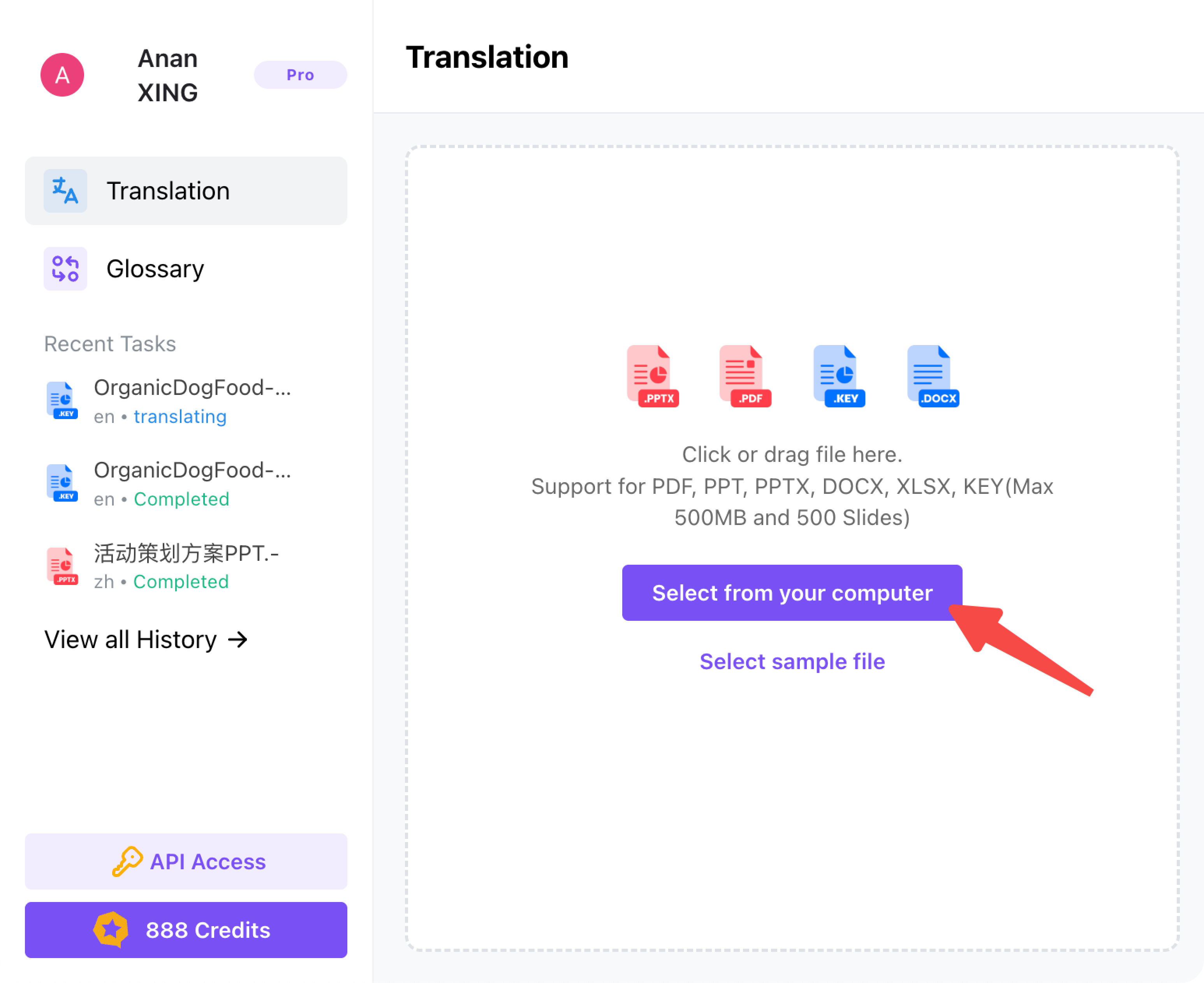
1.Login and Upload:Log into the DeckFlow platform. Drag and drop the .key file into the upload area or select it from a local folder.
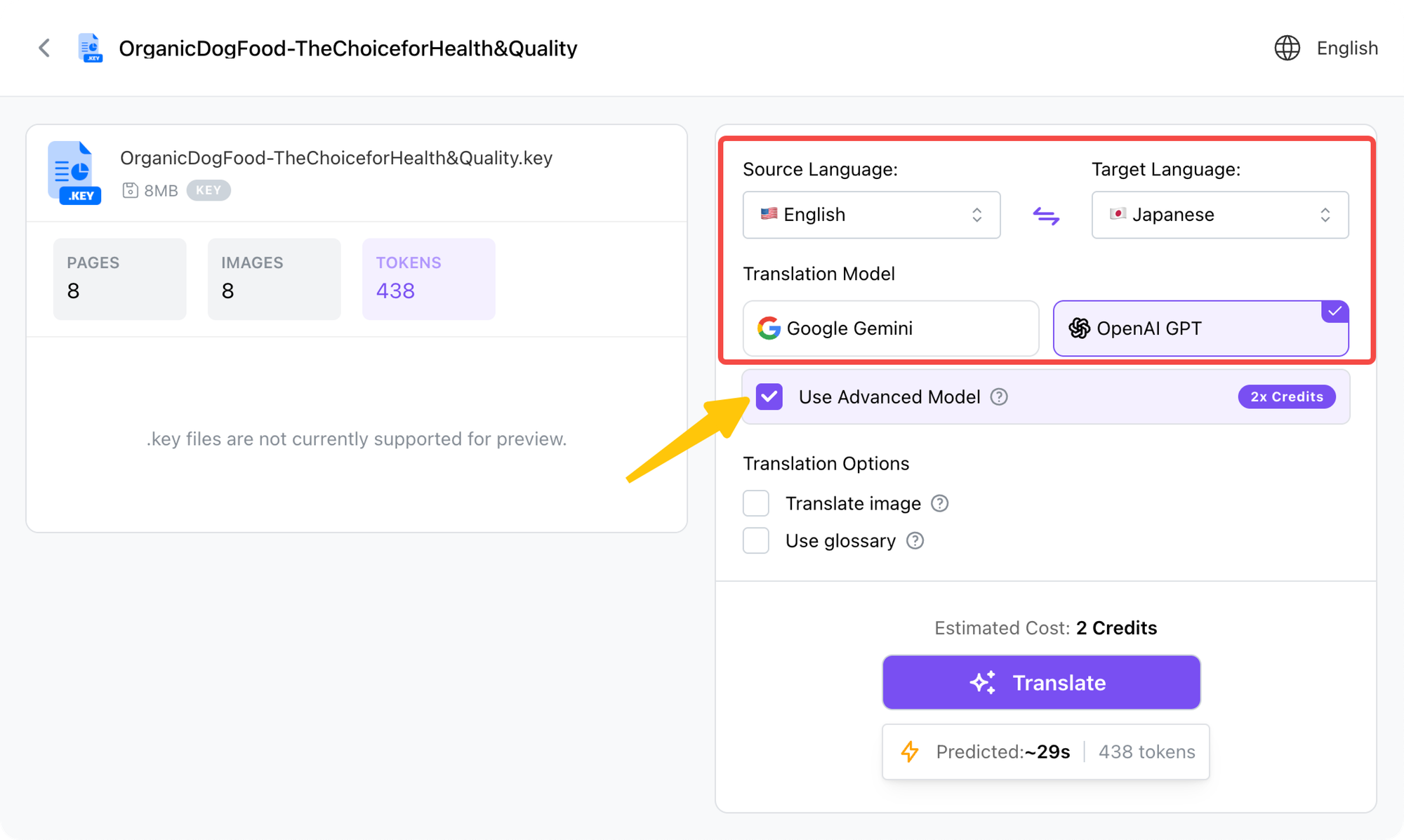
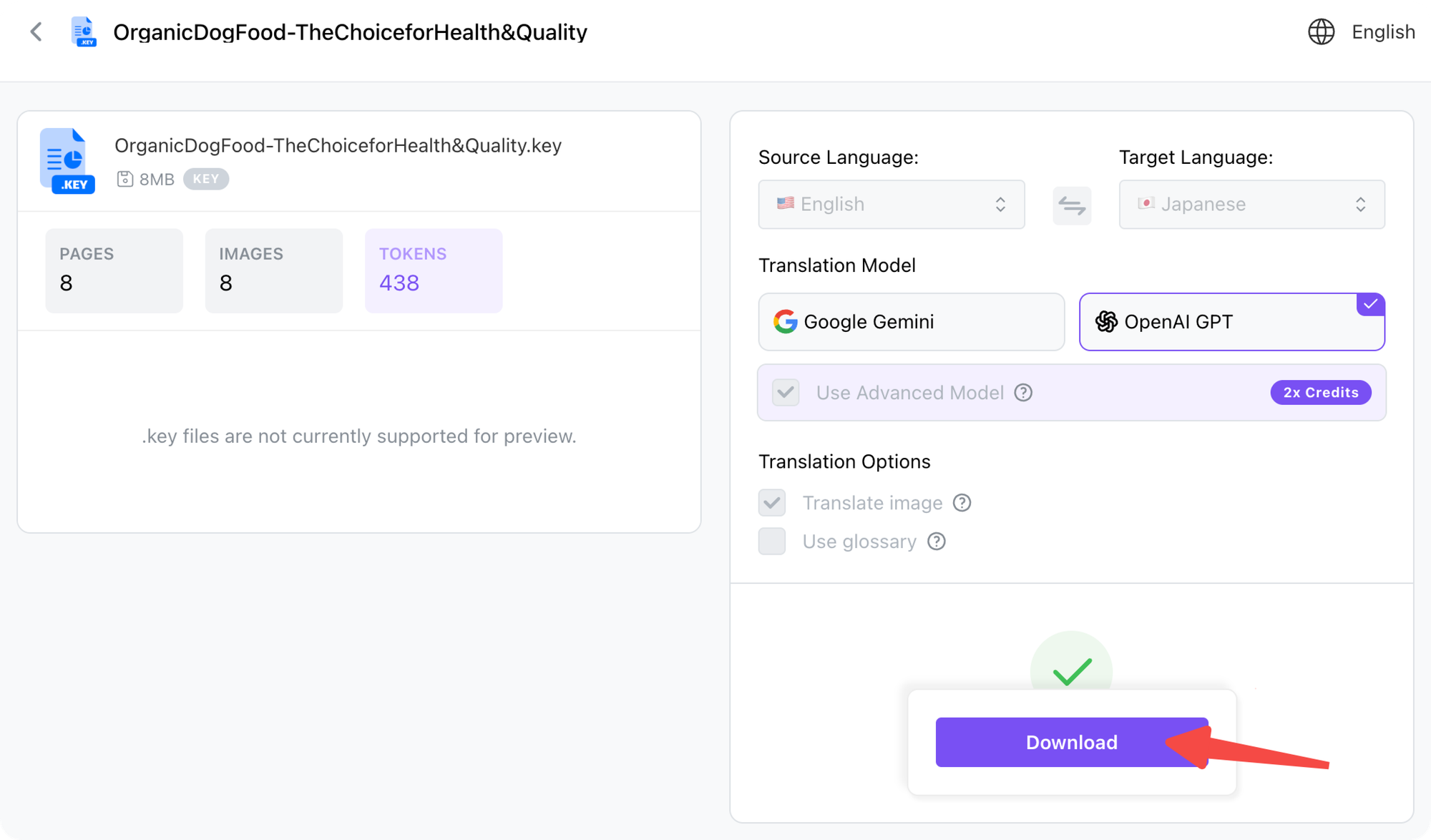
2.Set Parameters: Choose the target language and translation model. For the highest quality results, checking the “Use Advanced Model” option is recommended.
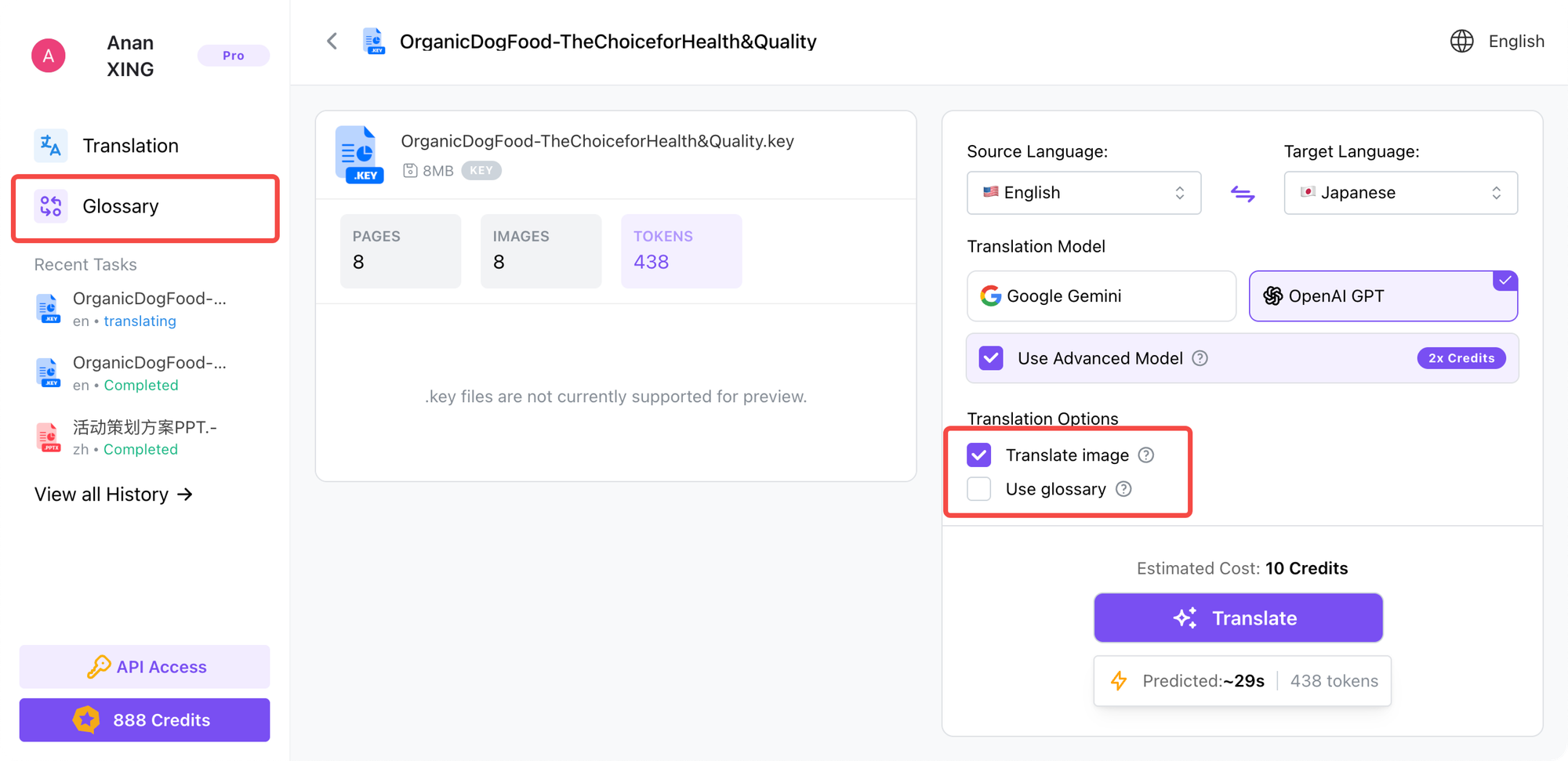
3.Configure Advanced Tools:
- Image Translation:Check “Translate image”. The system uses OCR technology to identify and translate text within images, charts, and diagrams.
- Glossary Management: To ensure specific terms are translated consistently, check “Use glossary”. Users can pre-load professional terminology in the “Glossary” section on the left sidebar.
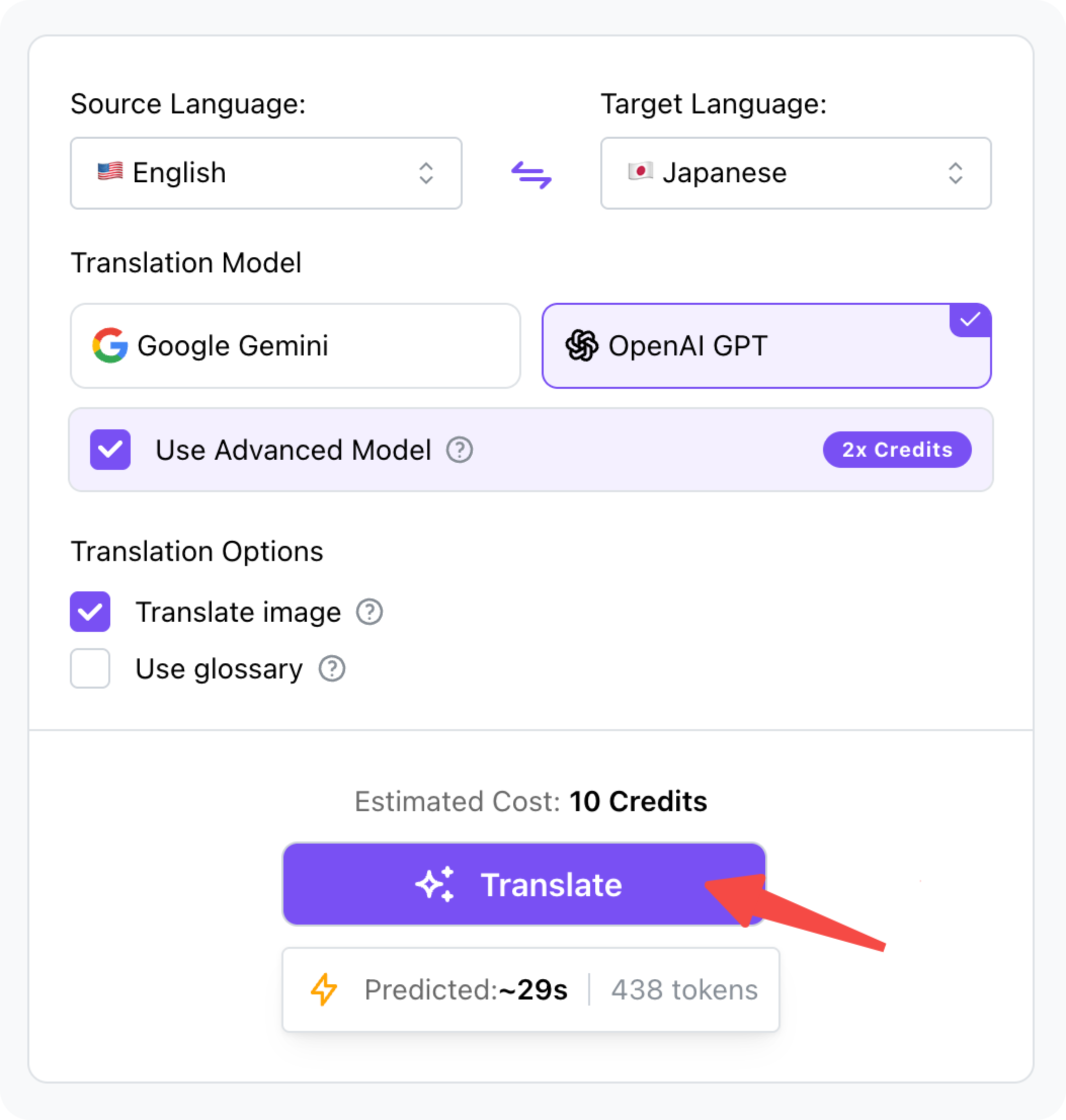
4.One-Click Translation: Click the “Translate” button and wait briefly while the system processes the entire document.
5.Instant Download: Once finished, click “Download” to get the translated native Keynote file.
Final Polish Before Your Presentation
After the translation is complete, it is recommended to open the file in the local Keynote app for a final check. Since text length varies by language, some minor adjustments to individual slides may be needed. Thanks to DeckFlow’s efficiency, users save over 90% of manual work time, allowing them to focus entirely on perfecting their delivery.
Unlock Your Creative Productivity
Whether presenting a proposal at a multinational meeting or applying to a top-tier university abroad, language should never be a barrier to creativity. As a specialized .key file translator, DeckFlow is dedicated to making translation simple and transparent.
Ready for a seamless experience to translate Keynote? Click here to start your free trial with DeckFlow!